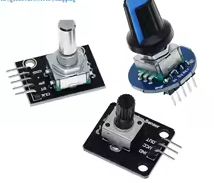
360 Degrees Rotary Encoder Module Rotary Potentiometer Analog Knob Module KY-040 RV09 Rotary Encoder EC11 Knob Cap – KSH 300 at HIMA TRONICS Mombasa – Top quality sensors. Best electronics in Kenya. Shop now for Arduino, ESP32, sensors and IoT devices.

360 Degrees Rotary Encoder Module Rotary Potentiometer Analog Knob Module KY-040 RV09 Rotary Encoder EC11 Knob Cap

SKU: HMJ755 Category: Sensors
KSH 300.00
Out of Stock
Inquire
Product Description

360 Degrees Rotary Encoder Module KY-040 RV09 EC11

= Analog Knob Module with Push Button for Arduino =

This 360-degree rotary encoder module provides unlimited rotation for precise control in Arduino projects. Unlike potentiometers with fixed range, this encoder counts pulses during rotation in both directions without limits.

Continuous Rotation - Unlimited turns with 20 pulses per revolution
Builtin Push Button Reset or select functions with shaft press
Operating voltage is 5V with 20 pulses per revolution
Connect CLK and DT pins to digital pins for direction detection
Handle with care - mechanical life rated for 50,000 cycles

= Technical Specifications =

ParameterValue
ModelKY-040 / EC11 / RV09
Working Voltage5V DC
Pulses per Revolution20
Shaft Diameter6mm
Shaft Length12-20mm
Rotation360 degrees continuous
Switch TypePush button (momentary)

= Key Features =

Incremental Encoder - Detects both direction and rotation amount

Switch Function - Press shaft for reset or menu selection

Onboard Pullup Resistors Simplified wiring on module

Mounting Thread - 7mm thread with nut and washer included

PCB Mounting Holes - Secure installation in enclosures

== Applications ==

  1. Motor speed and position control
  2. Menu navigation and value adjustment
  3. Digital potentiometer replacement
  4. Volume and parameter controls
  5. Servo motor positioning
Perfect for Arduino Projects - Standard 5V compatibility
Mechanical Durability - 50,000 rotation cycles

√ Module with knob cap and mounting hardware

√ Pre-soldered pin headers for breadboard use

√ Includes SW, DT, CLK, VCC, and GND pins

= Pin Configuration =

PinFunctionConnection
GNDGroundConnect to ground
+VCC5V power supply
SWSwitch outputPress to activate
DTEncoder Pin BDigital input
CLKEncoder Pin ADigital input
Use interrupt pins for accurate rotation detection
Install Encoder library via Arduino IDE for easy integration
A/B signal order determines rotation direction
Avoid voltage above 5V on any pin

= Programming Notes =

The encoder outputs digital pulses on CLK and DT pins with 90-degree phase shift. Direction is determined by which signal changes first. The SW pin registers when the shaft is pressed downward.

20 detents per full revolution provide tactile feedback
Use software debounce for stable switch readings
Pull-up resistors are onboard for CLK/DT
Button may require external pull-up

= Troubleshooting =

No rotation detected:

  • Verify 5V power on VCC pin
  • Check CLK/DT connections
  • Avoid loose wiring

Direction reversed:

  • Swap CLK and DT connections
  • Or adjust code for reversed direction

Button not responding:

  • Check SW pin connection
  • Add external pull-up resistor if needed
  • Avoid using damaged switch