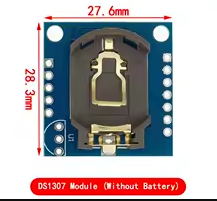
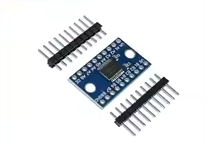
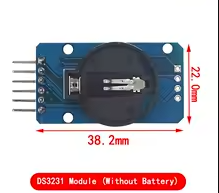
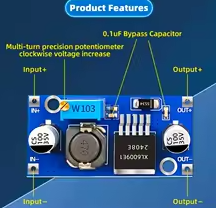
DS1307 Precision RTC Real Time Clock Memory Module
= New Original I2C Real-Time Clock for Arduino =
The DS1307 is the most popular and widelyused realtime clock (RTC) module for Arduino and 5V microcontroller projects. It keeps accurate time even when the main power is lost, using a backup battery.
BatteryBacked Timekeeping Maintains time for over 5 years on a coin cell
I2C Interface Easy 2wire connection to Arduino
Operating voltage is 4.5V to 5.5V - designed for 5V Arduino boards
Use the standard RTClib library for easy integration
For 3.3V systems, consider the PCF8523 or DS3231 instead
= Technical Specifications =
| Parameter | Value |
|---|
| Supply Voltage | 4.5V to 5.5V |
| Battery Backup Current | <500nA |
| I2C Interface | 2-Wire |
| Memory | 56 Bytes NV SRAM |
| Time Format | 12/24 Hour |
| Date Format | YYMMDD-dd |
| Programmable Output | Square-Wave Signal |
= Key Features =
+Automatic PowerFail Detection Switches to battery backup seamlessly
+Leap Year Compensation - Valid through year 2100
+56Byte NonVolatile RAM - Store data even during power loss
+Programmable Square Wave Output - Useful for timing signals
+Low Power Consumption - <500nA in battery mode
== Applications ==
- Data logging and time-stamping
- Digital clocks and timers
- Automated irrigation systems
- Alarm and scheduling projects
- Industrial monitoring equipment
- Energy metering devices
Arduino Compatible - Works with standard RTC libraries
UL Recognized - Certified for reliable operation
√ CR2032 battery holder included
√ I2C pull-up resistors on board
√ Ready for immediate use
= Connection Guide =
Module to Arduino:
- VCC: 5V (not 3.3V)
- GND: Ground
- SDA: A4 (Uno/Nano)
- SCL: A5 (Uno/Nano)
For other boards:
- Mega: SDA=D20, SCL=D21
- Due/ESP32: SDA/SDA pins
- Use Wire library for communication
Use 2.2kΩ to 4.7kΩ pull-up resistors on SDA and SCL lines
If using SoftwareSerial, adjust pin assignments accordingly
This is a 5V device - level shifting needed for 3.3V logic
Battery must be installed for time retention during power loss
= Programming Instructions =
Install RTClib library via Arduino IDE Library Manager. The library provides simple functions for setting and reading time.
Basic setup:
- Initialize Wire library
- Call rtc.begin() to detect module
- Check rtc.isrunning() for battery status
- Use rtc.adjust() to set initial time
- Use rtc.now() to read current time
Time setting formats:
- rtc.adjust(DateTime(F(DATE), F(TIME)))
- rtc.adjust(DateTime(2026, 7, 17, 14, 30, 0))
- Reading returns hours, minutes, seconds, date
Software Library Support - RTClib and DS1307 libraries available
Simple Time Setting - Set once, runs for years
Over 5 years battery life with CR2032
Works with Arduino Uno, Mega, Nano
= Troubleshooting =
Module not responding:
- Verify 5V power connection
- Check I2C connections (SDA/SCL)
- Ensure battery is installed
- Add pull-up resistors if missing
- Avoid loose wiring
Time lost on power-off:
- Replace CR2032 battery
- Check battery holder contacts
- Verify battery voltage above 2.5V
- Avoid using without battery
Incorrect time reading:
- Set time again via software
- Check for I2C communication errors
- Avoid interference from other devices