Raspberry Pi pico mini RP2040-Zero Microcontroller Development Board RP2040 Dual Core Processor – KSH 1,000 at HIMA TRONICS Mombasa – Top quality microcontrollers. Best electronics in Kenya. Shop now for Arduino, ESP32, sensors and IoT devices.

Raspberry Pi pico mini RP2040-Zero Microcontroller Development Board RP2040 Dual Core Processor

SKU: HMJ701 Category: Microcontrollers
KSH 1,000.00
Out of Stock
Inquire
Product Description

RP2040-Zero Mini Microcontroller Development Board

= Dual-Core RP2040 Processor for Advanced Projects =

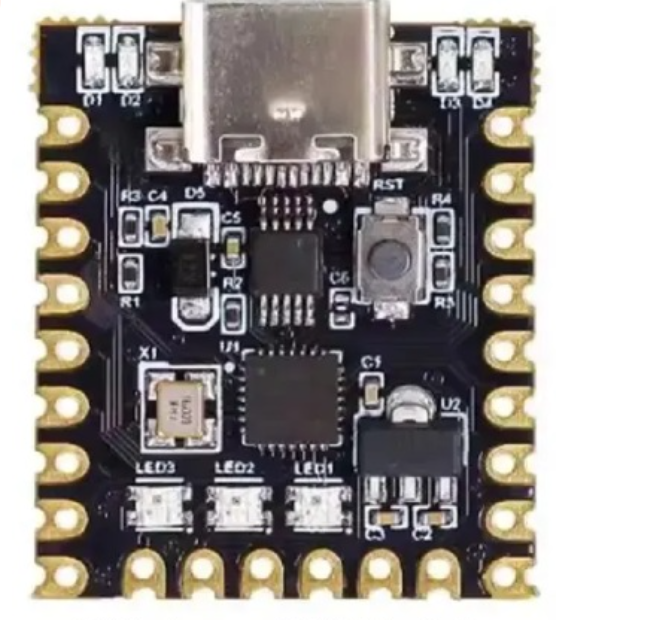
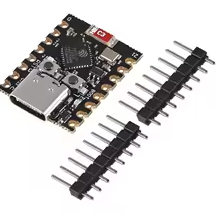
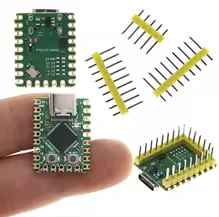
The RP2040Zero is a mini development board based on the official Raspberry Pi RP2040 dualcore processor. It offers high performance in a compact form factor, ideal for wearable tech, IoT devices, and embedded systems .

RP2040 DualCore Processor Arm Cortex M0+ running up to 133MHz
2MB Flash & 264KB SRAM - Ample storage for complex programs
Supply voltage is 5V via USB-C or 5V pin
Use the BOOT button for draganddrop UF2 programming
Logic level is 3.3V - use level shifters for 5V devices

= Technical Specifications =

ParameterValue
ProcessorRP2040 Dual-Core Arm Cortex M0+
Clock SpeedUp to 133 MHz
Flash Memory2MB
SRAM264KB
GPIO Pins29 (20 via pin headers)
ADC Channels4 x 12-bit
PWM Channels16
Interfaces2x SPI, 2x I2C, 2x UART

= Key Features =

USBC Connector Modern port for programming and power

Programmable I/O (PIO) - 8 state machines for custom peripherals

DragandDrop Programming - Copy UF2 files via USB mass storage

WS2812 RGB LED Builtin NeoPixel for status indication

LowPower Modes Sleep and dormant modes for battery projects

Temperature Sensor Onchip sensor for environmental monitoring

== Applications ==

  1. Wearable electronics
  2. IoT sensors and controllers
  3. Custom keyboard and HID devices
  4. Robotics and automation
  5. Educational microcontroller projects
Compact Design - 23.5 x 18mm board size
Flexible Mounting - Castellated edges for SMD soldering

√ Supports MicroPython, C/C++, and Arduino IDE

√ BOOT and RESET buttons onboard

√ Type-C port for easy connection

= Connection Guide =

Key pins:

  • GPIO0/GPIO1: Default UART0 serial console (TX/RX)
  • GPIO16: WS2812 RGB LED control
  • GPIO2629: ADC0ADC3 analog inputs
  • 5V, 3.3V, GND: Power pins
Use 3.3V logic for all GPIO connections
Hold BOOT button while connecting USB for programming mode
Do not apply 5V to GPIO pins
No battery protection circuit - use protected batteries

= Troubleshooting =

No USB connection:

  • Hold BOOT button when plugging in USB
  • Check USB-C cable supports data
  • Install RP2040 drivers if needed

LED not working:

  • GPIO16 controls WS2812 RGB LED
  • Use NeoPixel library for control
  • Check power supply stability